How to Make Money on YouTube: Ten Strategies to Make Bank

1:31 AM

 How to Make Money on YouTube: Ten Strategies to Make Bank

How to Make Money on YouTube: Ten Strategies to Make Bank


How to make money on YouTube shouldn’t be the first question a would-be creator need to ask themselves. 


However, earning revenue from the content you create and the views and subscribers you attract might be what keeps you going as a content creator.  


While you have to be in the YouTube Partner Program to qualify for AdSense and get paid for the ads that appear around your videos, there are many other ways a creator can generate income. Let’s dive into the different options:


#1 Ad-Revenue Share from the YouTube Partner Program


Generating revenue from ads run against your content is one of the accessible ways for creators to earn money from YouTube. Applying to join the YouTube Partner Program (YPP) is a milestone in monetizing your content. 


There are a few hoops for creators to jump through before they qualify. 


Still, 

those goals themselves are all important on your YouTube journey anyway, so if you meet the criteria, you may as well start to earn an income from the content you’d be creating regardless. 


To join the YouTube Partner Program, creators must meet


six requirements:


  1. A Minimum of 1,000 YouTube Subscribers
  2. At Least 4,000 Hours of YouTube Watch Time Generated in the Last 12 Months

  3. Live Where the YouTube Partner Program is Available to Creators

  4. Have No Active Community Guidelines Strikes on Your Channel

  5. Have a Linked AdSense Account

  6. Have Two-Factor Authentication Enabled 

If you hit all six goals, you can take the following steps to apply to the YPP and enable monetization on YouTube:


  • Sign in to the YouTube account you want to monetize
  • Click through to YouTube Studio
  • In the left-hand menu, select Other Features > Monetization
  • Read and agree to the YouTuber Partner Program terms and eligibility requirements.

  • Create a new Google AdSense account or connect an existing one to your channel

  • Confirm your monetization preferences

To get an idea of your predicted or potential YouTube revenue, in your YouTube dashboard:


  1. Click the Analytics tab on the left-hand side

  2. Select Revenue from the tabs at the top

  3. Scroll down to the chart in the Monthly Estimated Revenue section

YouTube keeps a 45% share of ad revenue, which means creators get 55% of revenues generated from ads around their videos.


#2 Super Chat


If creators go live on YouTube, they have an opportunity to use the Super Chat feature to monetize that live stream. 


Viewers can purchase a Super Chat message with a credit or debit card during the stream. 

Once that payment has been processed, YouTube will highlight that viewer’s message on the live chat screen.


If you have Super Chat turned on, viewers will see a dollar bill symbol on the chat screen. 

A slider will appear if they click on this button, offering the chance to donate a dollar amount to the creator. 


Enthusiastic viewers can donate anything from $1 to $500 per day (up to $2,000 per week) or the equivalent in their local currency. YouTube keeps about 30% of the money earned from a Super Chat donation.  


For more information about setting up and benefiting from the Super Chat feature, you’ll need to be over 18 and live in a location where it is available.


#3 Super Stickers


Super Stickers allow viewers to pay to use a particular image to appear on a YouTube live stream chat. 

There is a range of designs available that fans can purchase that cover gaming, music, fashion and beauty, food, and other genres.


Super Stickers are also available to creators already using the Super Chat feature. 


The feature is live in 4 languages across 60 countries. The Stickers come in a range of price points, from 99 cents to $50. YouTube keeps 30% of each donation.


#4 Super Thanks


Turning to your viewers can be a solid strategy for how to make money on YouTube. 


Just like Super Chat and Super Stickers, Super Thanks is also a way for fans to “tip” their favorite YouTube video creators and another way for YouTubers to monetize their content. 

However, viewers can use the feature on videos that have been uploaded rather than live streamed.


Super Thanks is available to all channels in the YouTube Partner Program. Sixty-eight regions, including the U.S, the U.K, Canada, Australia, France, Germany, Greece, Brazil,  India, and South Korea have access to the additional viewer donation option.


#5 Make YouTube Shorts


YouTube Shorts rake in 50 billion views every day. It took a while but today, creators can monetize YouTube shorts to get a cut of ad revenues. 


Before this update in early 2023, the only option creators had was to try to get some support from the $100M YouTube Shorts Fund.

To qualify for YouTube Shorts monetization, a channel must meet the

 following criteria:


  • 1,000 subscribers AND
  • 4,000 watch hours in the last 12 months OR
  • 10M views on Shorts videos in the last 90 days

#6 How to Make Money on YouTube Premium


YouTube Premium offers a better viewing experience with ad-free videos, offline playback, the option to continue playing audio with your phone screen off, and more. 

Ads on YouTube are how most creators make money on YouTube so while it sounds pretty good for viewers, it doesn’t sound so great for creators. 

Fear not: creators can still make money on YouTube even if YouTube Premium users aren’t seeing ads around their videos. It can also generate income for creators

How to make money on YouTube: YouTube Premium logo

The platform compensates for the loss of potential AdSense revenue by sharing viewers’ monthly membership fees with creators. 


Learn more about how YouTube ensures creators still make money on YouTube from YouTube Premium users.


#7 Channel Memberships


Channel Memberships are tailor-made for creators to leverage their subscribers and fans. 

You can create a space to reward those viewers and subscribers who sign up with exclusive content and other membership perks.


Memberships are available at different prices, so fans can pay whatever they can afford or feel is appropriate. 


The minimum starting price is $4.99 per month, while the maximum a creator can charge is $49.99 per month. 


As with AdSense, YouTube will deduct 30% of your overall revenue. Learn more about the benefit of Channel Memberships for both the creator and the user:


#8 Merch Sales


Some creators make money on YouTube by… making money off YouTube by selling merchandise, AKA merch. 


Merch can include branded hoodies, t-shirts, water bottles, mugs, tote bags, key chains, or anything that fits with the creator’s brand and that viewers want to buy. 


Merch can be a great way to make money on YouTube.  


It pays to plan out your merchandise strategy before investing in any product and certainly before using any service to manufacture and sell merchandise on your behalf. 


We spoke with four industry experts about the steps to take for a successful merchandise strategy. Take their advice, and you’ll be off to a winning start.


#9 Brand or Sponsorship Deals


Sponsorships or Partnerships mean a brand or publisher wants to work with a creator directly on content that promotes a product or service.

Making money on YouTube with brand deals really comes down to building an engaged audience on YouTube


There aren’t really any shortcuts to doing this, though there are some “hacks” that help.


Authenticity is everything in a brand deal; you worked hard to build an audience, inauthentic content jeopardizes that audience. 


For a successful brand deal, the creator needs to be a good fit for the brand but it’s at least as important that the brand is a good fit for the creator.

Nano and micro creators can land a brand sponsorship deals early in their YouTube journey. 


Even before they qualify for the YouTube Partner Program. However, smaller creators won’t command the big money that a channel with 1M+ subscribers might. 

Where Creators Get Paid

Join the BENlabs Creator Community, where AI matches creators and brands in brand deals so that everyone wins. Including your audience.


#10 Affiliate Sales


Affiliate marketing is a self-directed approach to getting paid for promoting products. 


As an affiliate, creators will have a custom link that tracks activity (visits, product sales, etc.) that your content drove. 


Many online products, services, and stores have an affiliate program. Most will require the content creator to qualify first. 


Applying to be an affiliate is a bit of admin work but it can be a great way for savvy creators to make money on YouTube.


For example, you may create a video around a specific gaming console, then provide an Amazon affiliate link in your description box directing to that product. 

You get a small commission if a viewer clicks on your link and buys the console.


Amazon is a great place to start with affiliate marketing because anybody can apply and be accepted into the program. 


Just be aware that, as with any business transaction, there are rules to follow, but for the most part, they are a pretty easy target for most people to hit. 


Read our extensive guide to the Amazon affiliate program for YouTube creators to learn more.


Become a TubeBuddy Affiliate

TubeBuddy tools help creators grow their YouTube channel. In our affiliate program, creators can get paid for helping to spread the word.


So there you have it. 10 ways to make money on YouTube. The best advice for any YouTube creator looking to make money on the platform is this: 

Consider your YouTube as a business from the very beginning of your creator journey. This little mindset shift will help to set you up for financial success.....

-----------------------------------------------------------------------------------------------------------------------------


How to Create a PDF Flipbook in 2 minutes

11:52 PM

 How to Create a PDF Flipbook in 2 minutes


Are you looking for a new way to get more traffic to your site, and to reach and engage your audience? 

Creating a PDF flipbook could be the answer. We’ll show you how to create a PDF flipbook for more traffic and engagement in 2 minutes.

Why a PDF flipbook? One word: interactivity.

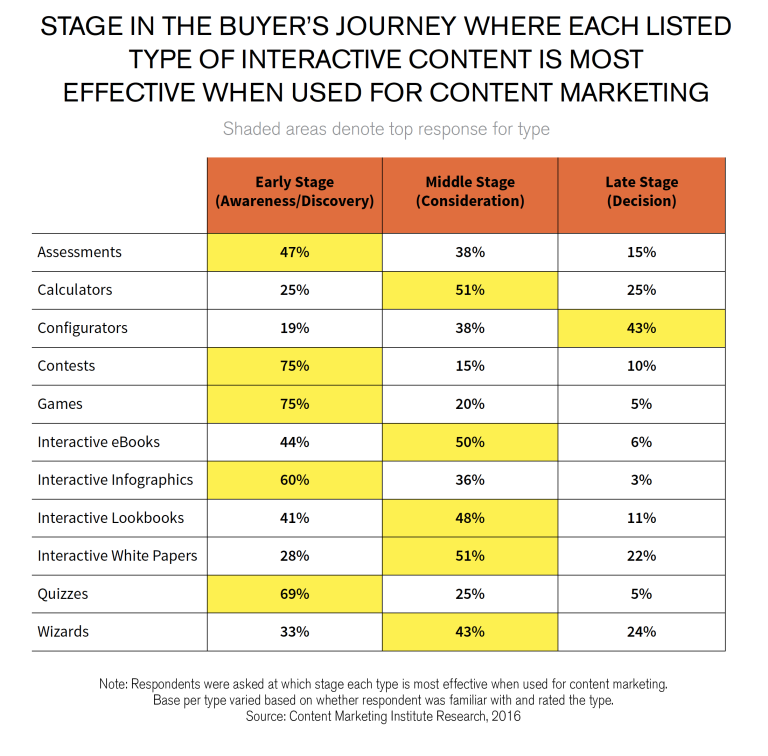
According to the Content Marketing Institute (CMI) interactivity is one of the best ways to truly engage your audience. Their research shows that 50% of marketers find interactive ebooks useful when their audience is in the consideration stage. 

That’s when people are actively considering working with or buying from a company. Interactive lookbooks and white papers also do the trick.

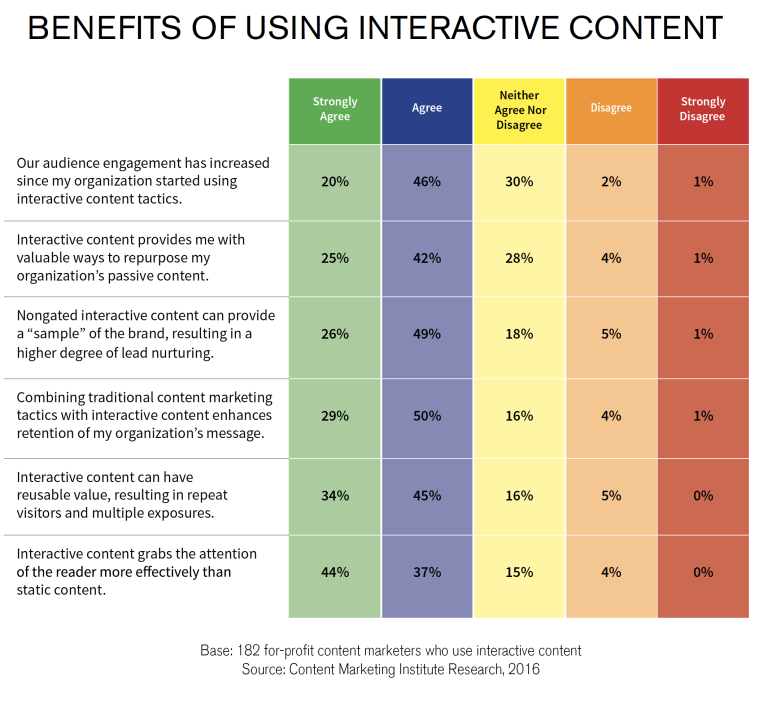
And there’s more. The CMI says most marketers agree that interactivity:

    • Increases engagement
    • Helps customers retain the company’s message
    • Gets attention, and results in repeat visits
    • Lets marketers effectively repurpose content


So that’s the engagement part, but what about the traffic? According to a report from SnapApp, the appeal of interactive content makes visitors:

  • Come to your landing page, especially when you promote it through email and social media
  • Share content with their networks, resulting in more traffic
  • Convert into leads

This makes its clear that digital flipbooks are a great addition to the marketing mix. The only question is, how do you create one?

Creating a flipbook used to be very technical, but it’s a lot easier now, especially since  you can do it in a couple of clicks with Designrr.

In this guide, we’re going to show you exactly how to make a PDF flipbook in two minutes to get more traffic to your site and engage your visitors when they arrive.

Other Reasons to Create  a PDF Flipbook

But first, let’s look at a few more reasons why it makes sense to create a PDF flipbook.

For a start, PDF flipbooks are a good way to target mobile device users. This is crucial because:

If you engage mobile device users with the right kind of content you won’t just get traffic and engagement. You’ll likely get sales, too.

Another advantage of digital flipbooks is that unlike static PDFs, which can be hard to navigate on mobile devices, PDF flipbooks are dynamic. With a swipe or tap, device users can easily flip through pages.

Using Flipbooks to Generate Leads and Sales

If you’ve been marketing for a while, the chances are you’ve got a lot of PDFs in your digital vaults. But just because the online world is moving on, it doesn’t mean those are a wasted resource. In fact, by turning your PDFs into flipbooks, you can bring them up to date, and wow your visitors with interactivity.

PDF flip books make great lead generation tools. For example, you can use them as lead magnets or content upgrades to persuade people to subscribe for your email list in exchange for getting the flipbook. Plus, with built in interactivity, you can easily lead flipbook readers onto targeted landing pages for particular products and services.

Another great way to use PDF flipbooks is to create product catalogs. Instead of having a static PDF catalog from your Shopify, Ecwid, or BigCommerce store, make it fully interactive for example by embedding image galleries and videos of selected products. This will surprise and delight your customers, give them an easy way to browse your products,  and make them more likely to buy.

This could also work if you make your menu into a PDF flipbook. Imagine being able to embed a video showing the chef at work, or a discount coupon for a particular dish.  You can easily do that when you create a flipbook in Designrr.

Other possibilities for using PDF flipbooks include:

  • Turning your dry, static report into a delightful experience for readers by popping up charts and graphs
  • Creating a “make your own adventure” style ebook where visitors navigate through the book differently depending on the choices they make
  • Embedding a welcome video into your brochure to give it the personal touch
  • Creating an interactive newsletter

The bottom line: using a PDF flipbook makes your content into an experience for visitors and when visitors have a great experience they’re far more likely to subscribe and buy.

Choosing Your Flipbook Creator

By now, most of us have seen some kind of interactive content online. And the thought of having to create it ourselves can be a bit intimidating. But it doesn’t have to be, especially if you find a PDF flipbook creator that:

  • Lets you easily import your existing PDFs
  • Has plenty of good designs for the title page and the inside of the flipbook
  • Makes it easy to add interactive elements
  • Lets you create a flipbook from scratch, if you want to

Designrr does all that, and more. In fact, you can even create an ebook from a Word document, then make it into an interactive PDF flipbook.

Next, we’re going to show you two ways to create a PDF flipbook in Designrr.

How to Create a Flipbook From an Existing PDF

Here’s the easiest way to create a flipbook with Designrr. It’s great for all those marketers who have a bunch of existing content they want to refresh.

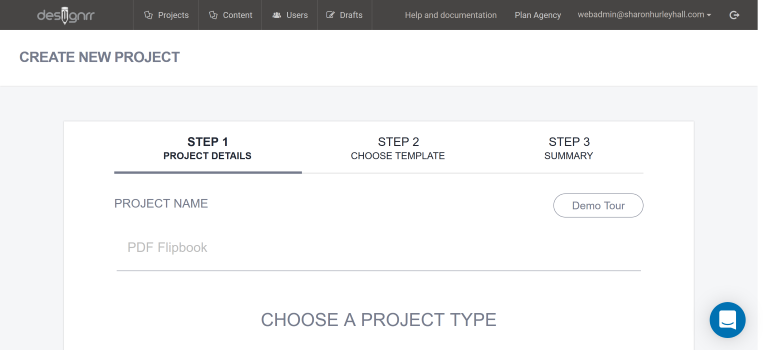
Login to the Designrr app and click Create New Project. Give your project a name.

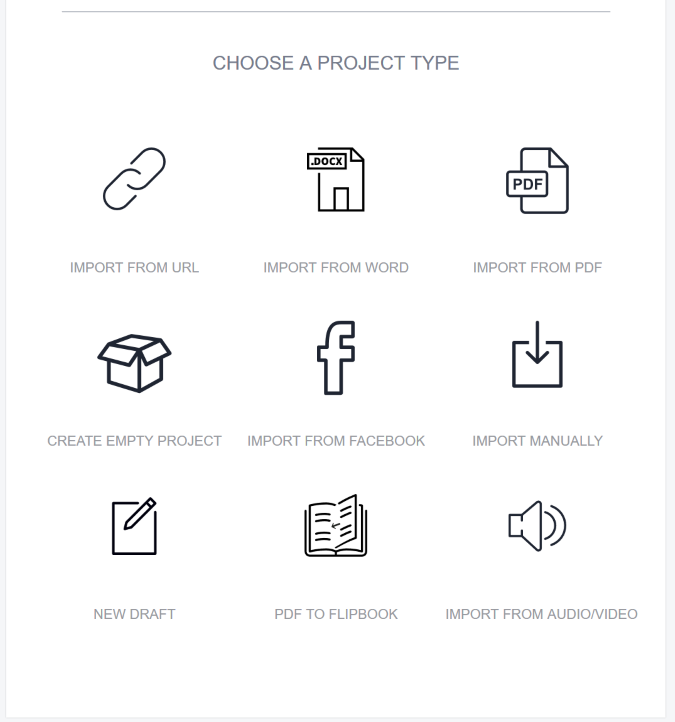
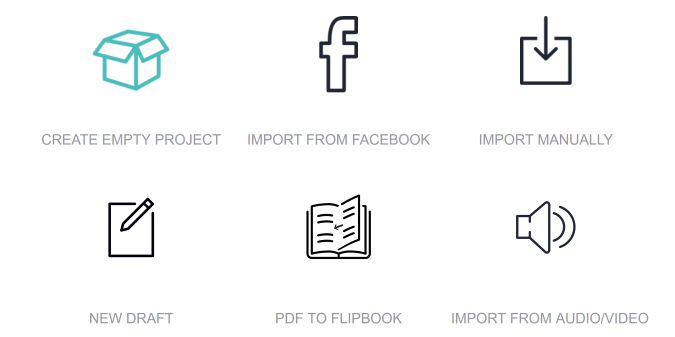
Scroll down and choose your import source: PDF to Flipbook.

Press next, then type in a title for your flipbook. You can also add a description.

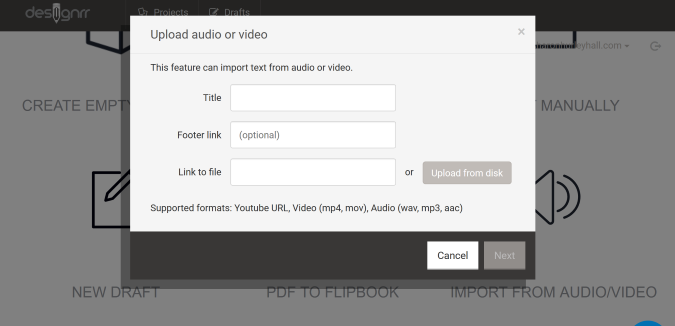
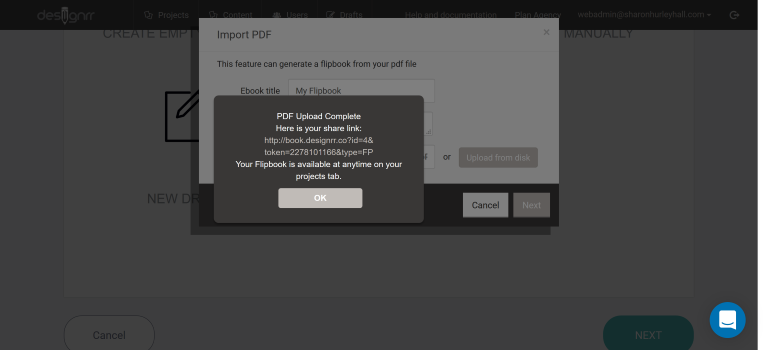
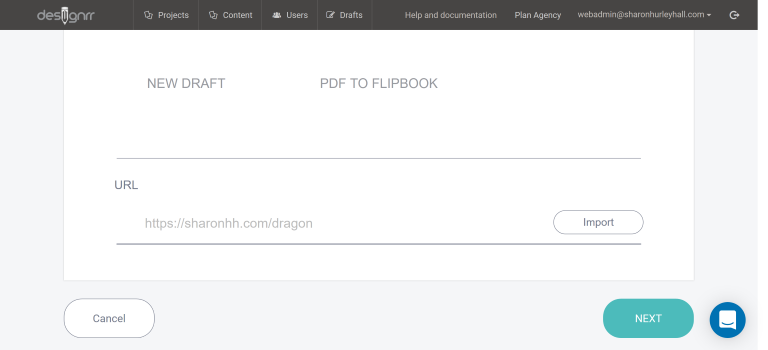
Then add a URL for the PDF, or upload it from your computer. In just a couple of minutes, Designrr will give you a link you can share.  That makes it easy to promote your flipbook on social media posts or on your profile.

You can also access the flipbook at anytime from your dashboard.

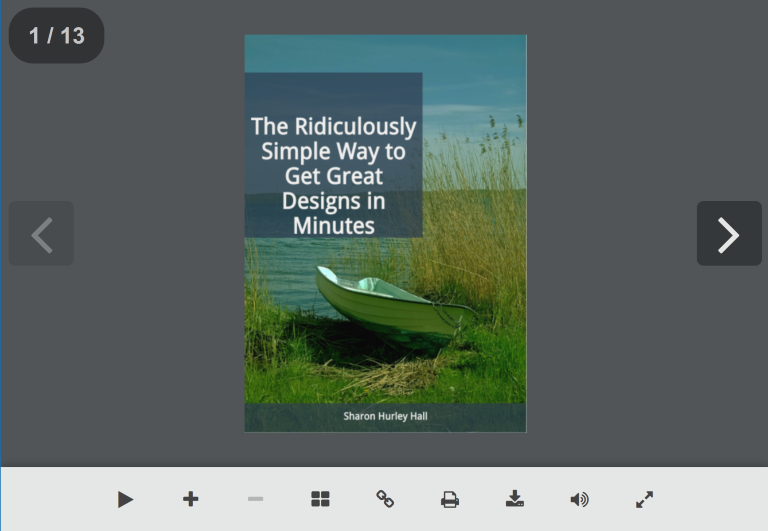
When readers access your flipbook they can use on-screen controls for automatic page flipping, to zoom in on content, to share, or to download the flipbook as a PDF.

This new import method means you can go from PDF to flipbook in less than two minutes and start using your new flipbook to build engagement with your visitors and customers.

How to Turn a Designrr Project into a Flipbook With One Click

You know what makes it even faster?

Creating a PDF flipbook from content you’ve already created in Designrr.

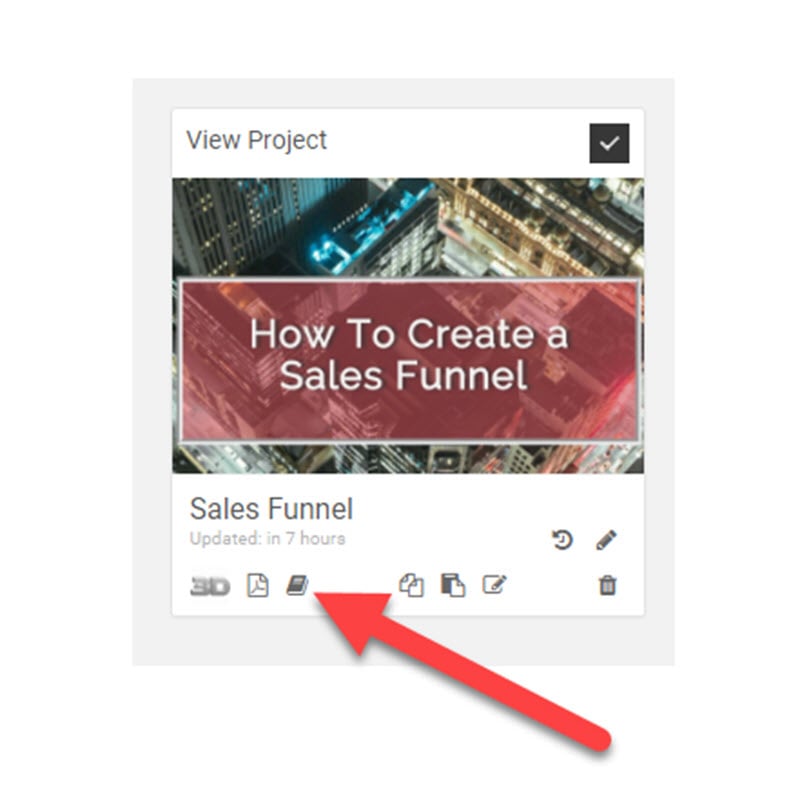
All you have to do is go to the main dashboard and click the Create Flipbook icon under any project.

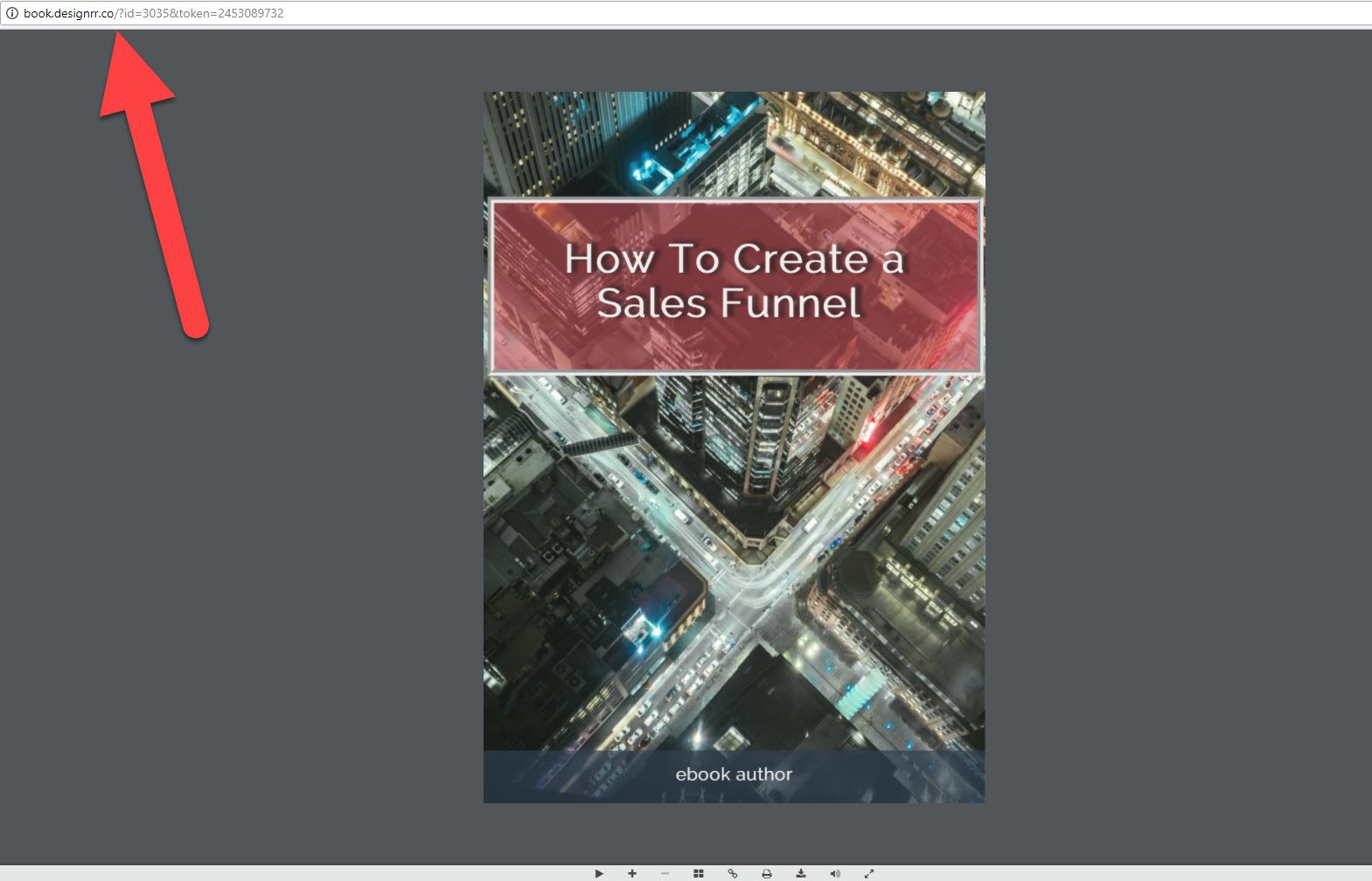
Almost immediately, your new flipbook will open in a new tab. To share it, just copy the link in your browser bar.

How to Use Designrr to Create a Flipbook From Scratch

Sometimes, you’re going to want a little more control over your flipbook. You can achieve this by building your flipbook within the editor. If you want full control, create an empty project so you can add the elements you want to your flipbook.


You could also take a shortcut, and import existing content as the starting point for your flipbook. You can  import from an URL, from a Word document, from Facebook, or from an existing PDF as shown earlier.

If you’re using this method, name your project,  choose your import source, and add your URL.

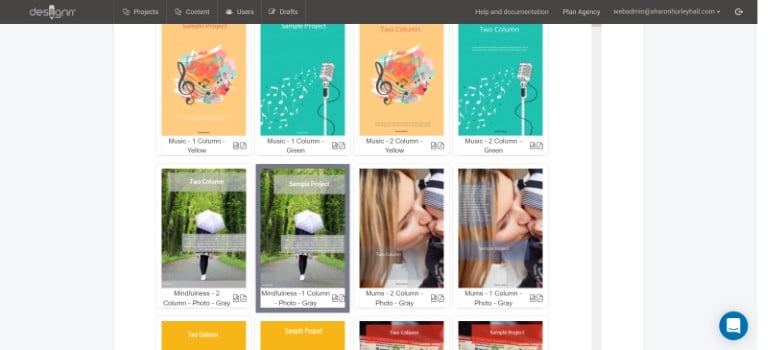
Either way, the next step is to choose your cover design template. There are plenty of customizable PDF design templates available, including plain covers and covers with graphics and photos. Most designs are available in single column and two column layout.

Click the preview icon underneath each template to see how it will look on the web or as a PDF flipbook.

Press next to see a project summary. This will take you to the Designrr builder. If you’re creating an empty project, you’ll have the chance to save it as a draft rather than a full project.

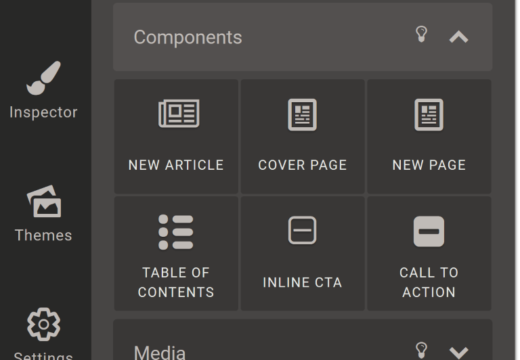
Use the menu items on the left as building blocks for your PDF flipbook. For example, you can click on the elements toolbar to add text, headings, images, videos and more.

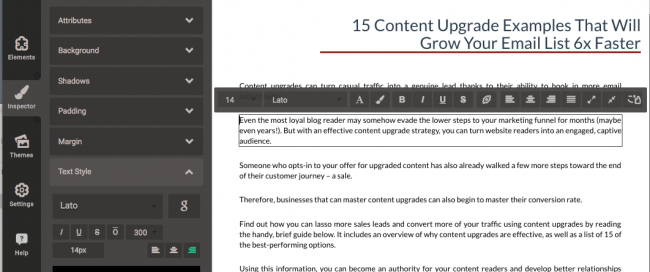
During the editing process you can click on any item to edit it. That makes it easy to change the font, edit headers and embed links. You can also use drag-and-drop to move text around.

Save changes as you go by using the button at the bottom of the builder. You can also turn on the autosave feature which you’ll find under the settings menu item.

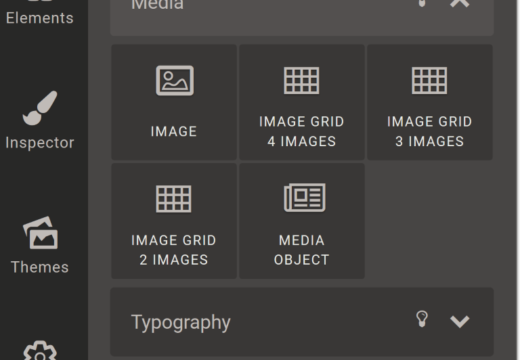
Want to get interactive? Try adding video to your project. You can also add image grids and other media via the Media Object element.

And if you go down to the Facebook tab you can also embed Facebook content which will automatically update. It’s a great way to make sure you’re always showing the latest content to your audience.

When you’re done, it’s time to export your new flipbook. To do this press the export button at the bottom of the screen and choose the format you want. As well as creating a flipbook, you can export your content as a PDF, a Kindle ebook, and more. This allows you to share your flipbook content with the widest possible audience.

There are couple more features worth noting to help you during the creation process and beyond.

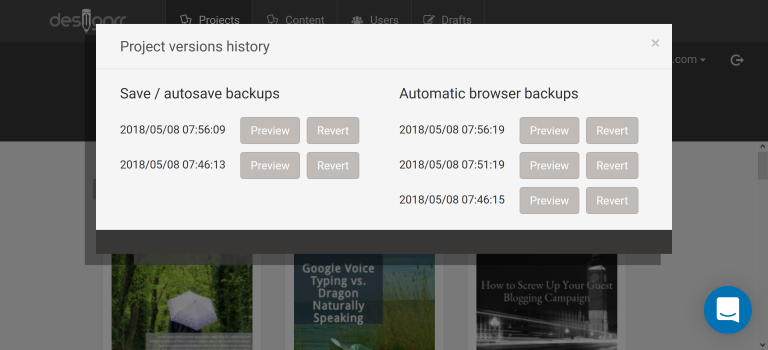
For example, if you suddenly decide that you want to go with a previous version of your PDF flipbook, you can use Designrr’s built in version history to restore the version you prefer.

Just hover your mouse over a project. When the hamburger menu appears, click it, then click restore. You’ll see a list of all the saved versions.

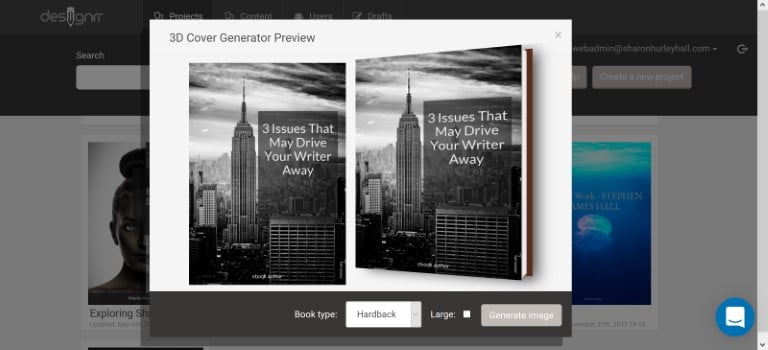
Second, you can easily promote your flipbook by creating a 3D or flat cover.  This is also available when hovering  your mouse over any project.

That’s it! By following this guide you’ve been able to create PDF flipbook less than two minutes. To do the same in your business get started with Designrr today.

 -------------------------------------------------------------------------------------------------------------------------------------------------

 Can You Build a Reliable Income with a WordPress Membership Site?


Powered by Blogger.